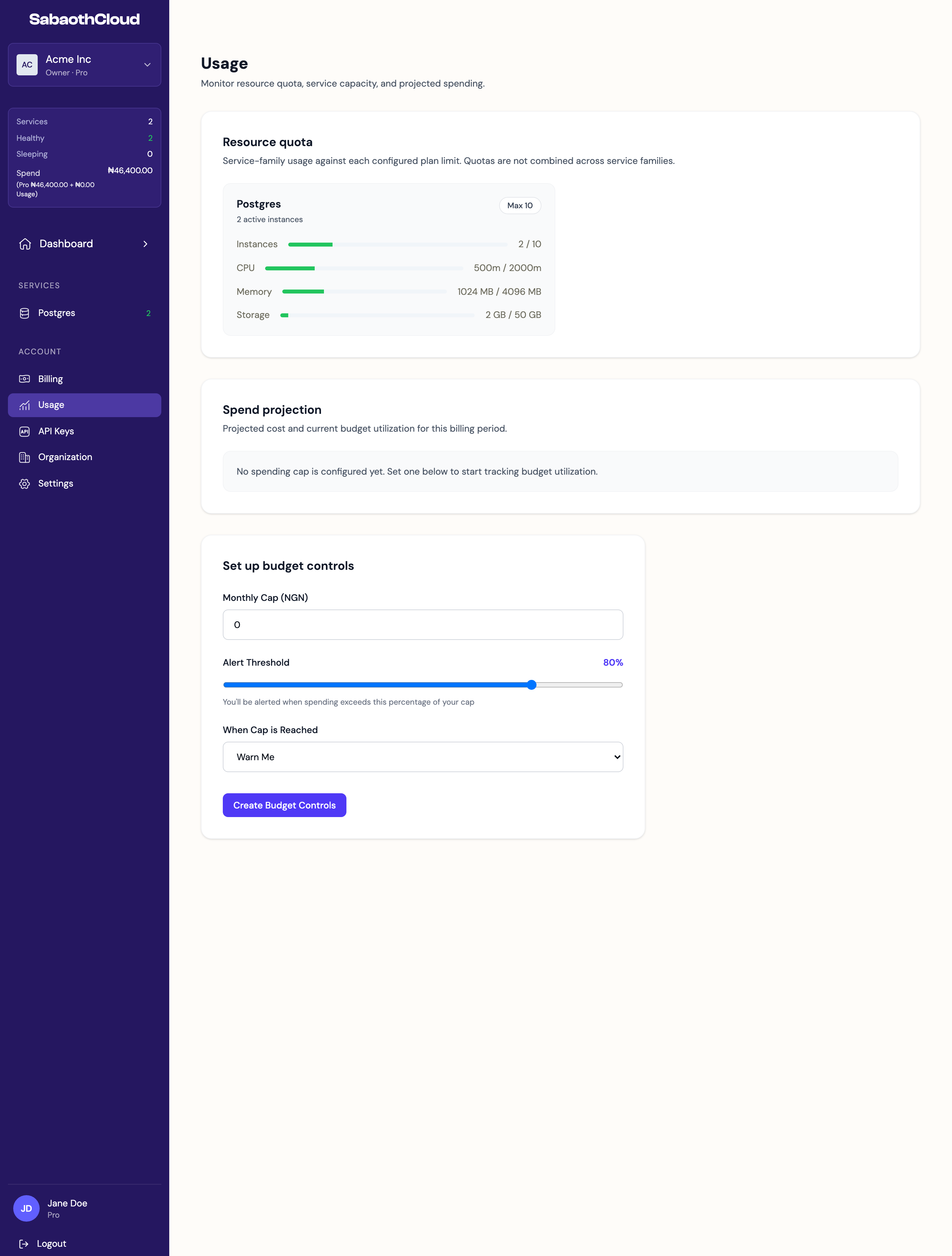
Resource quota
Resource quota shows what your PostgreSQL services use against your plan’s limits:
When a resource is close to its limit, a Usage warnings message appears at the top of the page. To get more room, change your plan, or scale down or delete a service.
Spend projection
Owners and Admins see the projected cost for the current billing period once a spending cap is set:
Until a cap is set, the section says no spending cap is configured.
Set a spending cap
Owners and Admins can set a monthly spending cap. Under Set up budget controls:- Enter a Monthly Cap in your billing currency.
- Set the Alert Threshold, from 10 to 100 percent. You’re alerted when spending passes this share of the cap.
- Choose what happens When Cap is Reached:
- Warn Me: you’re notified and services keep running.
- Block New Resources: new services can’t be created while spending is over the cap. Existing services keep running.
- Click Create Budget Controls.