View your organizations
Open the organization selector in the sidebar and click Manage organizations.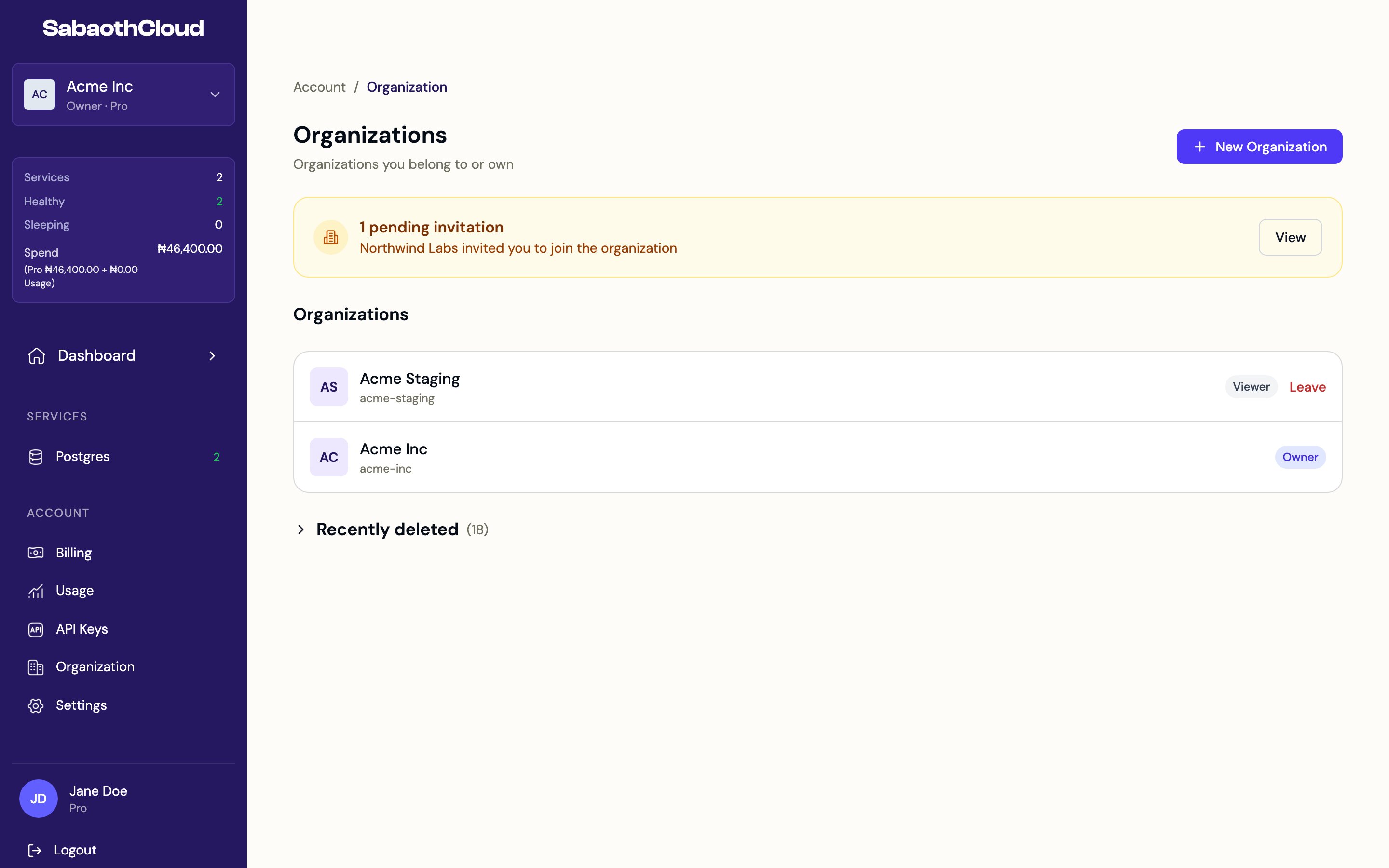
Create an organization
Click New Organization, or Create organization in the organization selector. Creating an organization takes four steps.1
Organization details
Enter an Organization Name. A Slug is generated from it: letters, numbers and hyphens, unique across SabaothCloud. The slug can’t be changed later.Choose the Billing Country. It sets the currency and payment methods. Nigeria, billed in NGN through Paystack, is currently available.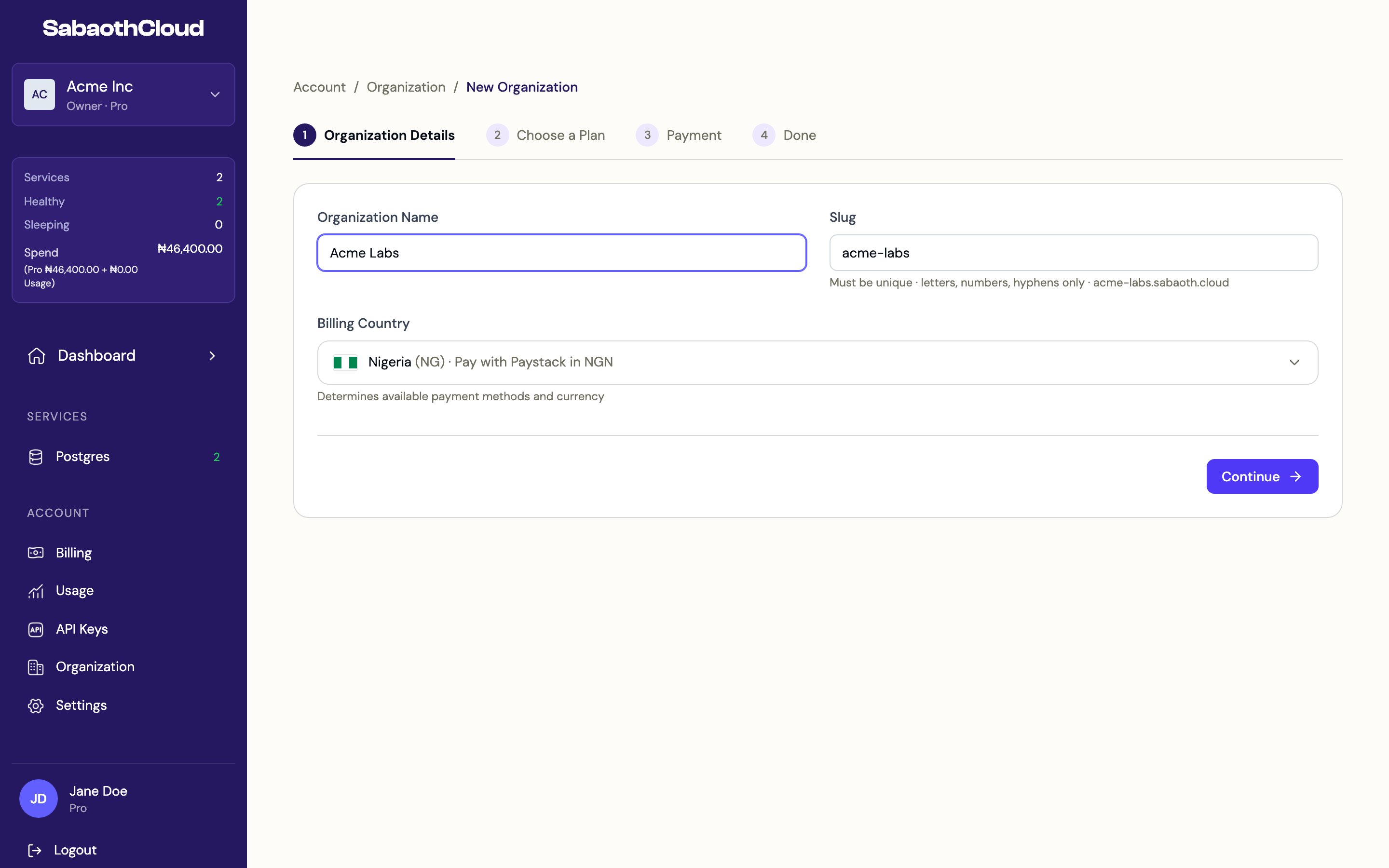
2
Choose a plan
Pick the plan for the organization. See Plans and pricing.
3
Payment
Click Continue to open the secure Paystack checkout and pay with a card, USSD or bank transfer. Your plan starts as soon as payment is confirmed.
4
Done
You see a summary with the plan, its status and the next invoice date. Click Create your first service to get started.
Edit organization details
Go to Organization in the sidebar. The General tab shows the organization’s details and a billing summary.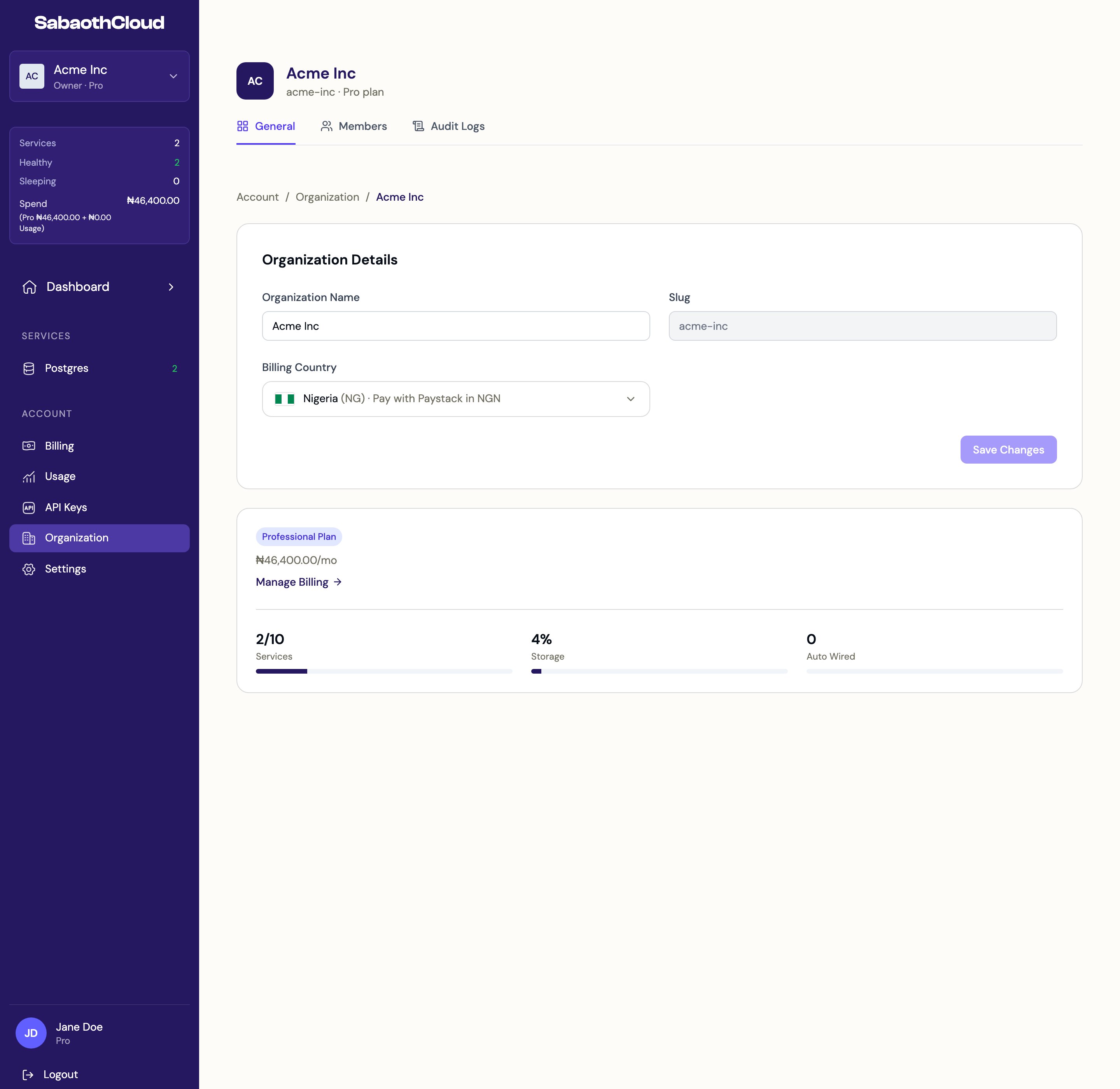
Transfer ownership
Only the Owner can transfer ownership, and only to an existing member who has accepted their invitation.- On the General tab, find Danger Zone and click Transfer.
- Select the member and click Transfer Ownership.
Leave an organization
On the General tab, click Leave under Danger Zone, or Leave next to the organization on the Organizations page, then confirm. You lose access to all its services. An Owner can’t leave while they are the only member. Transfer ownership first.Delete an organization
- On the General tab, click Delete under Danger Zone, or Delete next to the organization on the Organizations page.
- Type the organization’s name to confirm and click Delete.
Restore a deleted organization
On the Organizations page, expand Recently deleted. Each organization shows the date it will be permanently deleted. Click Restore and confirm to bring it back with all its data.Accept an invitation
When someone invites you, the invitation appears under the bell icon and at the top of the Organizations page.- Click View next to the invitation.
- Check the organization, the role offered and who invited you.
- Click Accept to join, or Decline.