> ## Documentation Index
> Fetch the complete documentation index at: https://docs.sabaothcloud.com/llms.txt
> Use this file to discover all available pages before exploring further.
# Dashboard Overview
> Find your way around the SabaothCloud dashboard
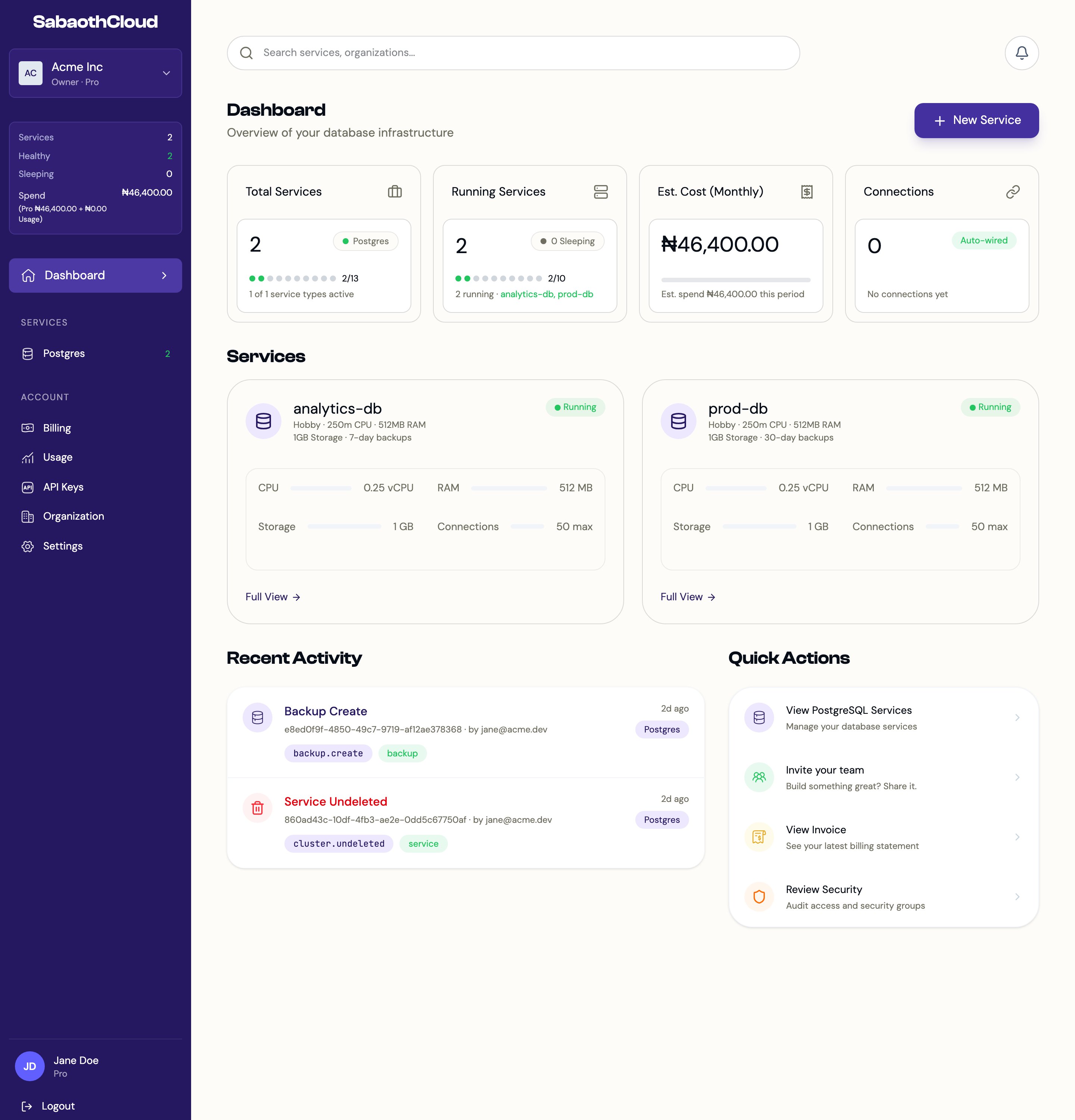
The dashboard is where you create and manage services, organizations, billing and API keys. Everything you see belongs to the organization selected in the sidebar.
 ## Sidebar
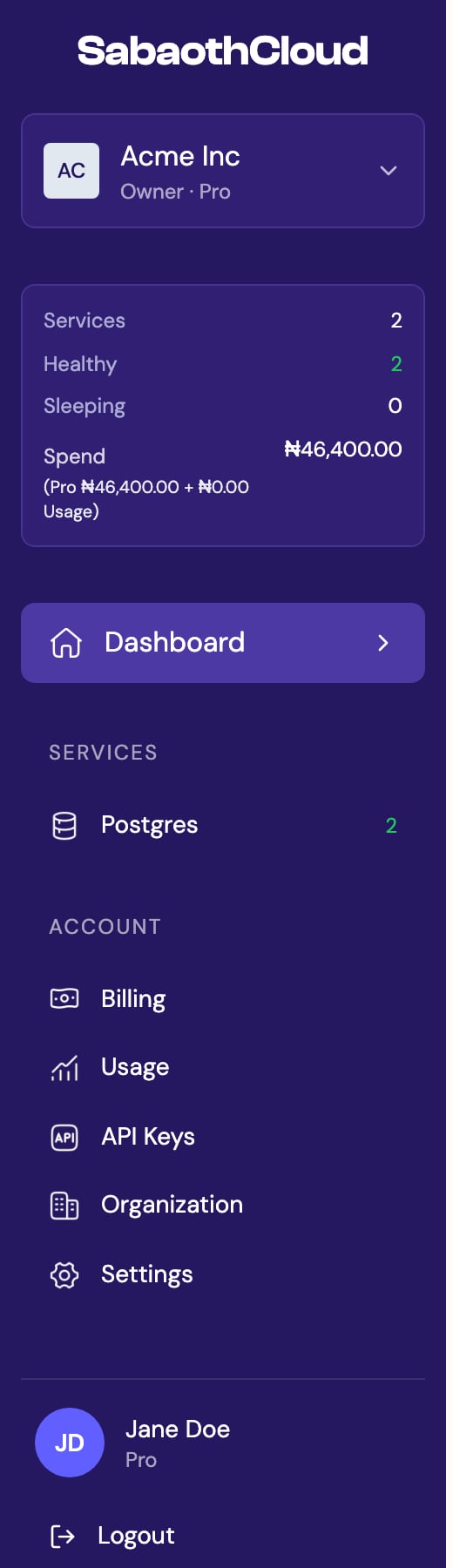 From top to bottom, the sidebar contains:
| Section | What it does |
| - | - |
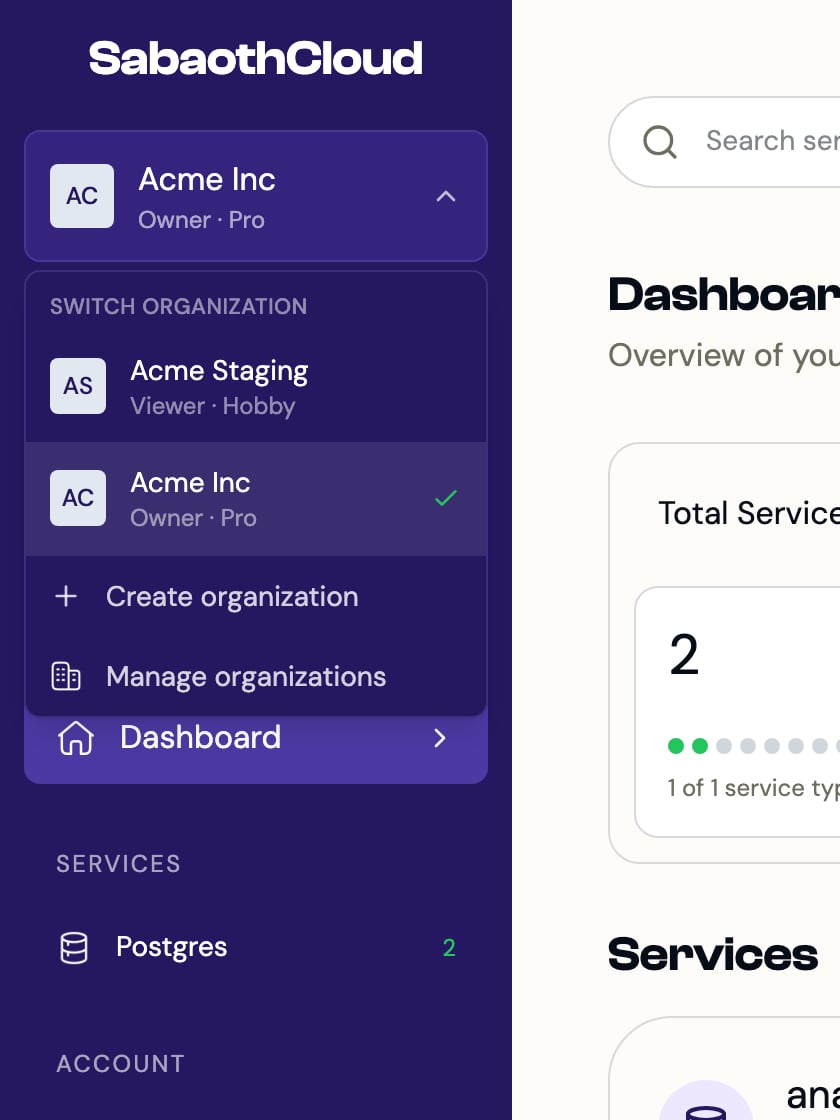
| **Organization selector** | Shows the current organization, your role and its plan. Click it to switch organizations. |
| **Stats panel** | The number of services, how many are healthy or sleeping, and this period's estimated spend. |
| **Dashboard** | Returns to the home page. |
| **Services** > **Postgres** | Your PostgreSQL services, with a count. |
| **Account** > **Billing** | Subscription, invoices and payment methods. |
| **Account** > **Usage** | Plan quota, spend projection and budget controls. |
| **Account** > **API Keys** | Keys for calling the API. |
| **Account** > **Organization** | Organization details, members and audit logs. |
| **Account** > **Settings** | Your profile, password, two-step sign-in and sessions. |
Your name and plan sit at the bottom of the sidebar, with **Logout** underneath. On desktop, you can drag the sidebar's right edge to make it wider or narrower.
### Switch organizations
Click the organization selector to see every organization you belong to. Choose one to switch to it, or use **Create organization** and **Manage organizations** at the bottom of the list.
From top to bottom, the sidebar contains:
| Section | What it does |
| - | - |
| **Organization selector** | Shows the current organization, your role and its plan. Click it to switch organizations. |
| **Stats panel** | The number of services, how many are healthy or sleeping, and this period's estimated spend. |
| **Dashboard** | Returns to the home page. |
| **Services** > **Postgres** | Your PostgreSQL services, with a count. |
| **Account** > **Billing** | Subscription, invoices and payment methods. |
| **Account** > **Usage** | Plan quota, spend projection and budget controls. |
| **Account** > **API Keys** | Keys for calling the API. |
| **Account** > **Organization** | Organization details, members and audit logs. |
| **Account** > **Settings** | Your profile, password, two-step sign-in and sessions. |
Your name and plan sit at the bottom of the sidebar, with **Logout** underneath. On desktop, you can drag the sidebar's right edge to make it wider or narrower.
### Switch organizations
Click the organization selector to see every organization you belong to. Choose one to switch to it, or use **Create organization** and **Manage organizations** at the bottom of the list.
 ## Home page
| Area | What it shows |
| - | - |
| **New Service** | Starts creating a service. Visible to Owners, Admins and Developers. |
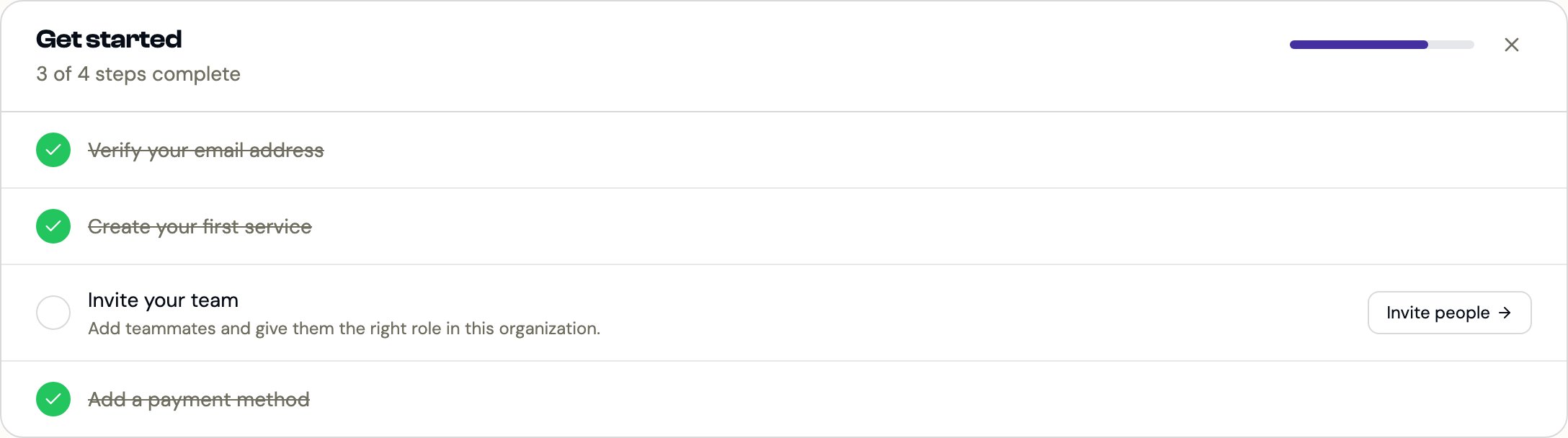
| **Get started** | A short checklist for new organizations: verify your email, create a service, invite your team and add a payment method. It disappears once every step is done, or you can dismiss it. |
| **Total Services** | How many services the organization has, against your plan's limit. |
| **Running Services** | How many services are running, and which ones. |
| **Est. Cost (Monthly)** | The estimated bill for the current period. |
| **Services** | A card for each service with its status and resources. Click **Full View** to open it. |
| **Recent Activity** | The latest actions in the organization. Visible to Owners and Admins. |
| **Quick Actions** | Shortcuts to common tasks. |
## Home page
| Area | What it shows |
| - | - |
| **New Service** | Starts creating a service. Visible to Owners, Admins and Developers. |
| **Get started** | A short checklist for new organizations: verify your email, create a service, invite your team and add a payment method. It disappears once every step is done, or you can dismiss it. |
| **Total Services** | How many services the organization has, against your plan's limit. |
| **Running Services** | How many services are running, and which ones. |
| **Est. Cost (Monthly)** | The estimated bill for the current period. |
| **Services** | A card for each service with its status and resources. Click **Full View** to open it. |
| **Recent Activity** | The latest actions in the organization. Visible to Owners and Admins. |
| **Quick Actions** | Shortcuts to common tasks. |
 A new organization with no services shows a welcome screen with a **Launch Service** button instead. Select **Skip to dashboard** on that screen to go to the regular home page.
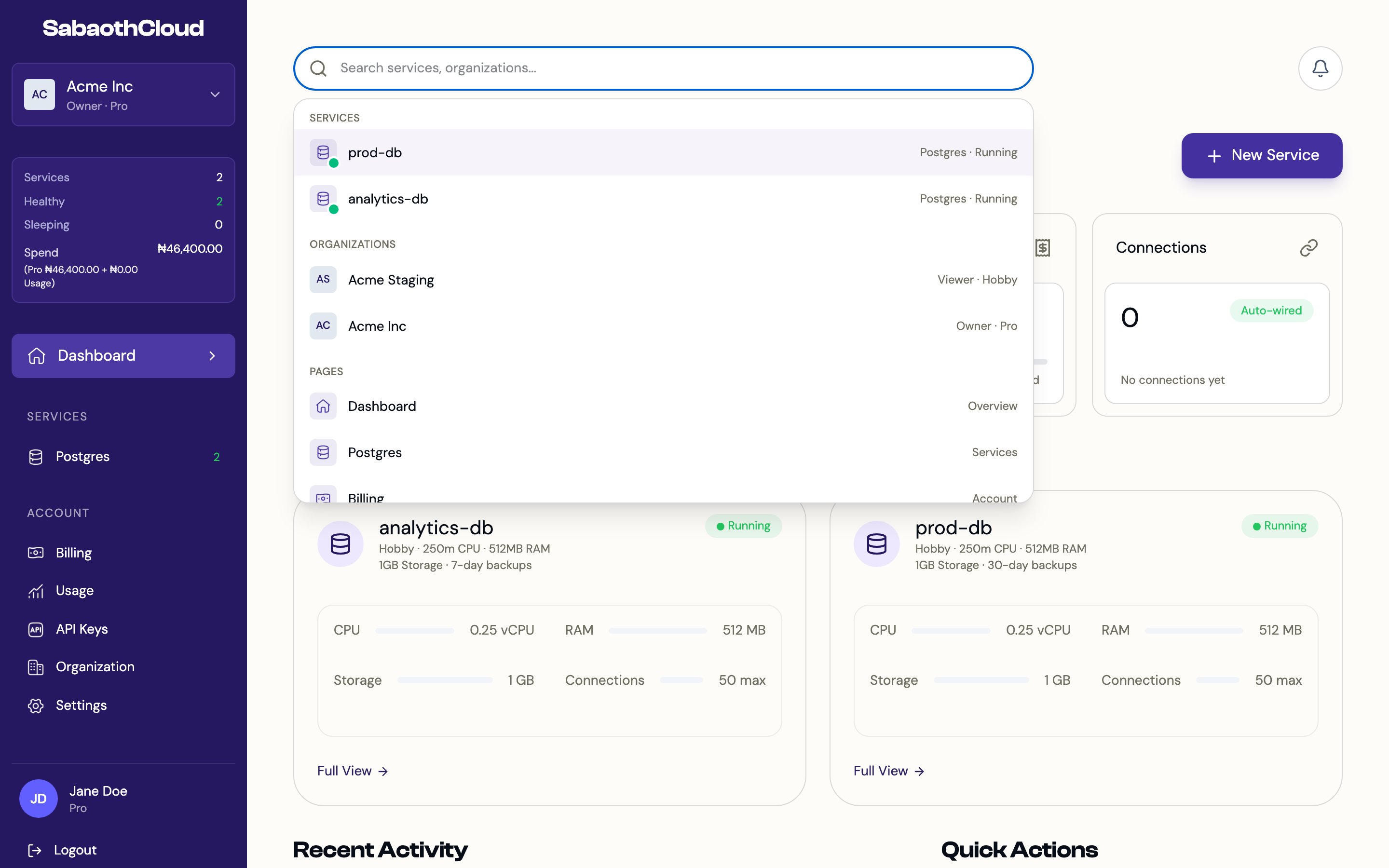
## Search
Click the search bar at the top of the page to find services, organizations and pages. Use the arrow keys to move through the results and press Enter to open one.
A new organization with no services shows a welcome screen with a **Launch Service** button instead. Select **Skip to dashboard** on that screen to go to the regular home page.
## Search
Click the search bar at the top of the page to find services, organizations and pages. Use the arrow keys to move through the results and press Enter to open one.
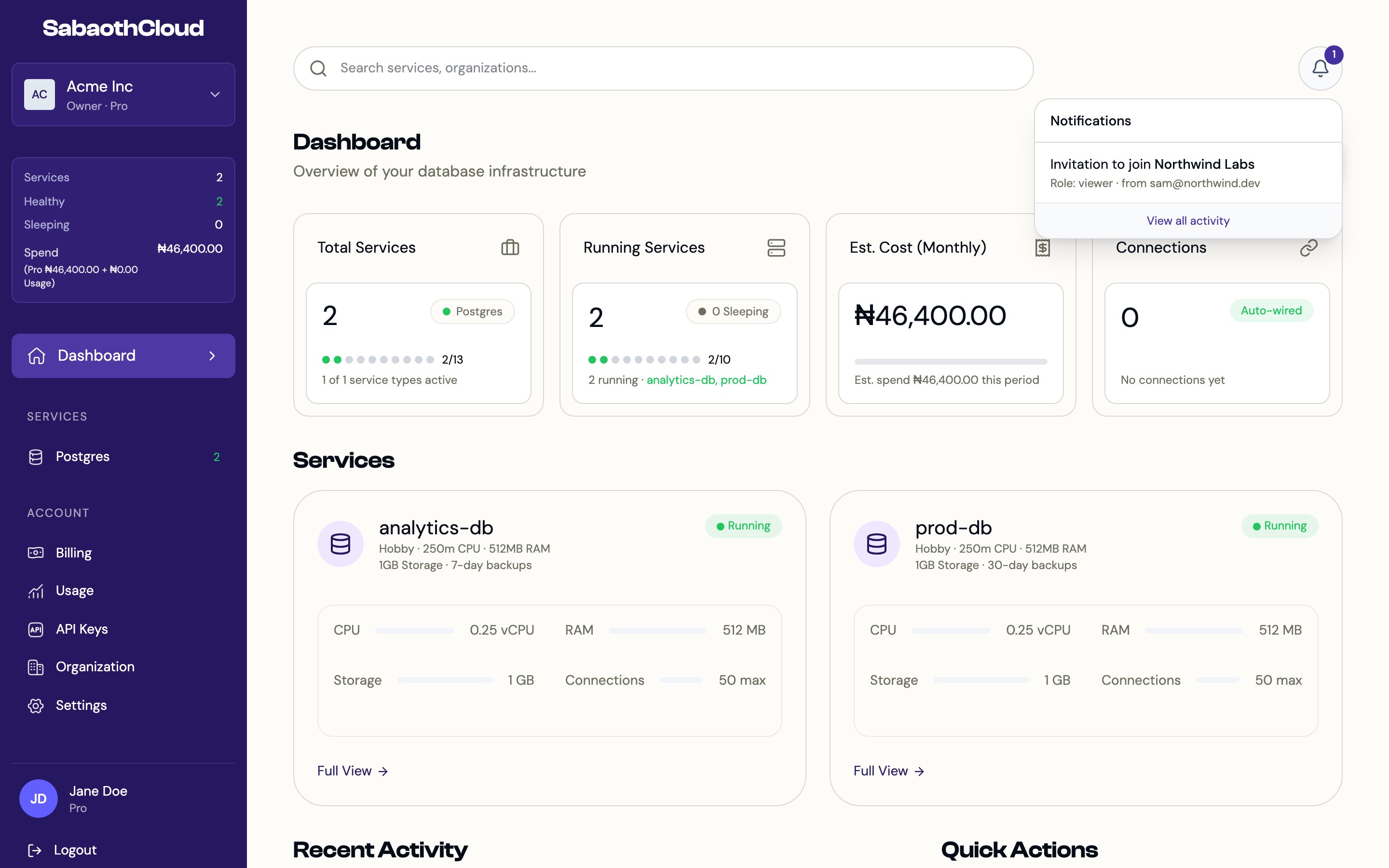
 ## Notifications
The bell icon at the top right shows pending invitations to join other organizations. Click an invitation to open **Organizations**, then click **View** to review it and **Accept** or **Decline**. Owners and Admins also see **View all activity**, which opens the organization's audit logs.
## Notifications
The bell icon at the top right shows pending invitations to join other organizations. Click an invitation to open **Organizations**, then click **View** to review it and **Accept** or **Decline**. Owners and Admins also see **View all activity**, which opens the organization's audit logs.
 ## Roles and what you see
What you can do depends on your role in the current organization.
| Role | Can do |
| - | - |
| **Owner** | Everything, including deleting the organization and transferring ownership. |
| **Admin** | Manage members, billing and services, and view audit logs. |
| **Developer** | Create and manage services, database users, backups and API keys. |
| **Viewer** | View services and settings without changing them. |
Buttons for actions your role can't take are hidden or disabled. See [Members and roles](/dashboard/members) for the full breakdown.
This documentation is built and hosted on [Mintlify](https://mintlify.com), a developer documentation platform.
## Roles and what you see
What you can do depends on your role in the current organization.
| Role | Can do |
| - | - |
| **Owner** | Everything, including deleting the organization and transferring ownership. |
| **Admin** | Manage members, billing and services, and view audit logs. |
| **Developer** | Create and manage services, database users, backups and API keys. |
| **Viewer** | View services and settings without changing them. |
Buttons for actions your role can't take are hidden or disabled. See [Members and roles](/dashboard/members) for the full breakdown.
This documentation is built and hosted on [Mintlify](https://mintlify.com), a developer documentation platform.