> ## Documentation Index
> Fetch the complete documentation index at: https://docs.sabaothcloud.com/llms.txt
> Use this file to discover all available pages before exploring further.
# Connection Pooling
> Use PgBouncer to handle many client connections efficiently
Connection pooling puts PgBouncer in front of your service. Many client connections share a smaller number of database connections, which reduces load on PostgreSQL and helps applications that open lots of short-lived connections, such as serverless functions and busy web apps.
Open a service and go to the **Pooler** tab.
## Enable connection pooling
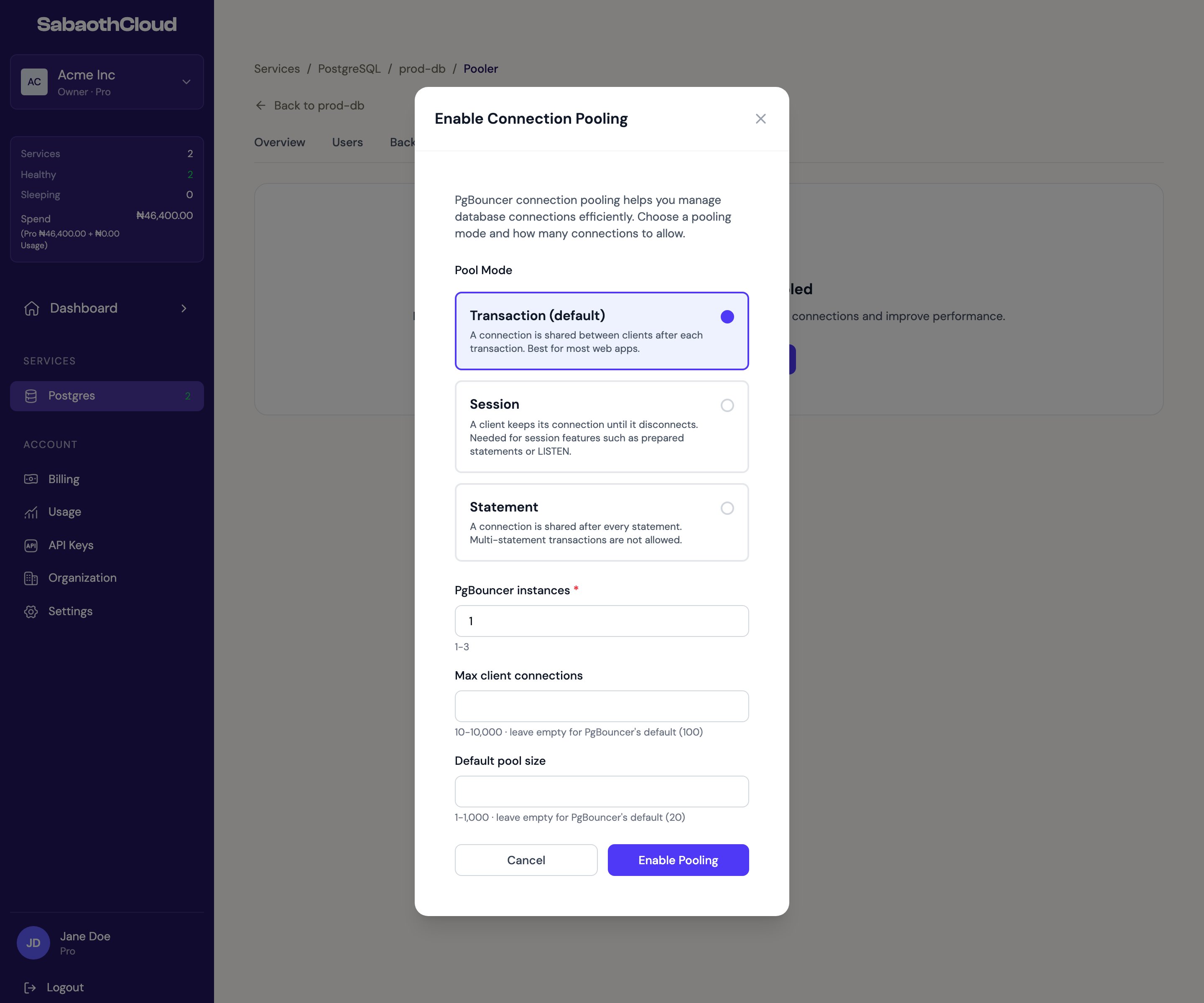
1. Click **Enable Connection Pooling**.
2. Choose a **Pool Mode**.
3. Set the number of **PgBouncer instances**, from 1 to 3.
4. Optionally set **Max client connections** (10 to 10,000, default 100) and **Default pool size** (1 to 1,000, default 20).
5. Click **Enable Pooling**.
 ### Pool modes
| Mode | How connections are shared | Use it for |
| - | - | - |
| **Transaction** (default) | After each transaction. | Most web applications. |
| **Session** | When the client disconnects. | Apps that need session features such as prepared statements or `LISTEN`. |
| **Statement** | After every statement. Multi-statement transactions aren't allowed. | Simple, single-statement workloads. |
Setup usually takes under a minute. The page shows **Connection Pooling Starting** until every instance is ready.
## Connect through the pooler
Once pooling is active, the Pooler tab shows the **Endpoint** and **Port** to use.
### Pool modes
| Mode | How connections are shared | Use it for |
| - | - | - |
| **Transaction** (default) | After each transaction. | Most web applications. |
| **Session** | When the client disconnects. | Apps that need session features such as prepared statements or `LISTEN`. |
| **Statement** | After every statement. Multi-statement transactions aren't allowed. | Simple, single-statement workloads. |
Setup usually takes under a minute. The page shows **Connection Pooling Starting** until every instance is ready.
## Connect through the pooler
Once pooling is active, the Pooler tab shows the **Endpoint** and **Port** to use.
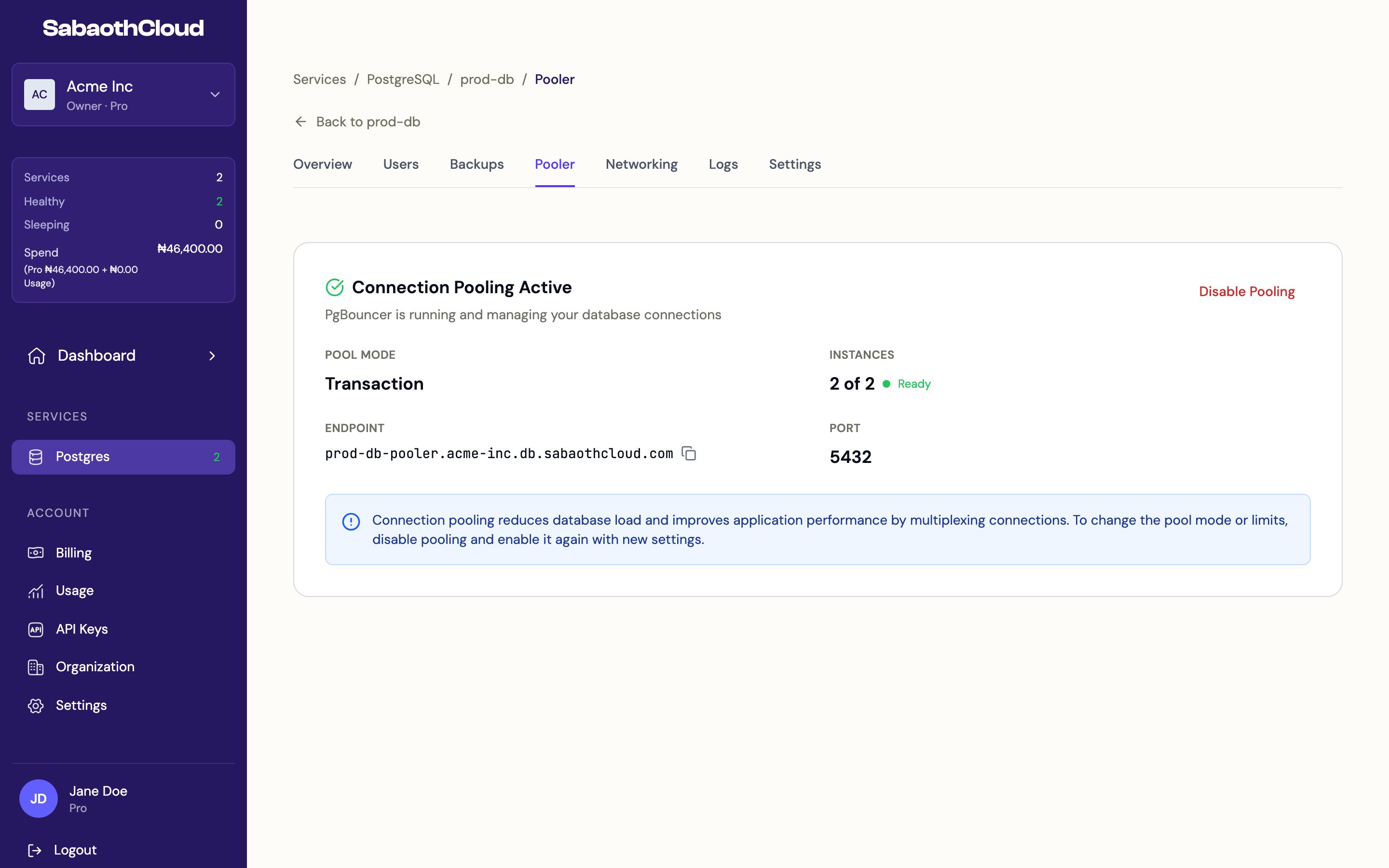 Point your application at the pooler endpoint instead of the service host, using the same database name, username and password:
```bash theme={null}
postgresql://app_service:YOUR_PASSWORD@POOLER_ENDPOINT:5432/DATABASE?sslmode=require
```
## Change pooling settings
To change the pool mode or limits, click **Disable Pooling**, then enable it again with the new settings.
## Disable connection pooling
Click **Disable Pooling** and confirm. Applications connected through the pooler are disconnected, so switch them to the service host first.
Pooling must be turned off before a service can be deleted. The delete dialog offers a **Turn off pooling** button for this.
This documentation is built and hosted on [Mintlify](https://mintlify.com), a developer documentation platform.
Point your application at the pooler endpoint instead of the service host, using the same database name, username and password:
```bash theme={null}
postgresql://app_service:YOUR_PASSWORD@POOLER_ENDPOINT:5432/DATABASE?sslmode=require
```
## Change pooling settings
To change the pool mode or limits, click **Disable Pooling**, then enable it again with the new settings.
## Disable connection pooling
Click **Disable Pooling** and confirm. Applications connected through the pooler are disconnected, so switch them to the service host first.
Pooling must be turned off before a service can be deleted. The delete dialog offers a **Turn off pooling** button for this.
This documentation is built and hosted on [Mintlify](https://mintlify.com), a developer documentation platform.