> ## Documentation Index
> Fetch the complete documentation index at: https://docs.sabaothcloud.com/llms.txt
> Use this file to discover all available pages before exploring further.
# Account Settings
> Manage your profile, password, two-step sign-in, sessions and account deletion
Open **Settings** in the sidebar, or click your name at the bottom of the sidebar. Settings has three tabs: **Profile**, **Security** and **Sessions**.
## Profile
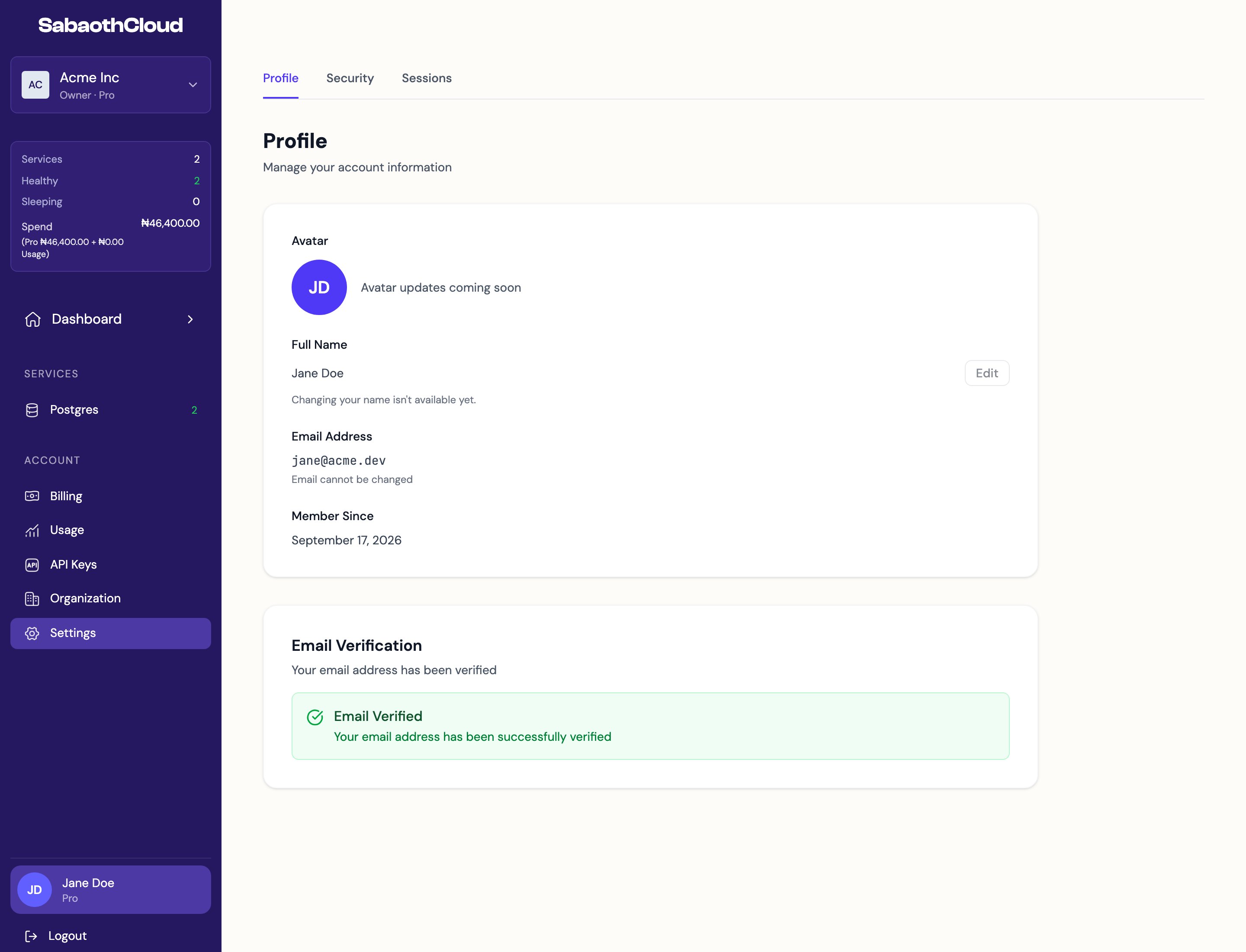 The **Profile** tab shows your full name, email address and the date you joined. Your email address can't be changed.
Under **Email Verification**, you can see whether your email is verified. If it isn't, click **Resend Verification Email** and follow the link in the email.
## Security
The **Profile** tab shows your full name, email address and the date you joined. Your email address can't be changed.
Under **Email Verification**, you can see whether your email is verified. If it isn't, click **Resend Verification Email** and follow the link in the email.
## Security
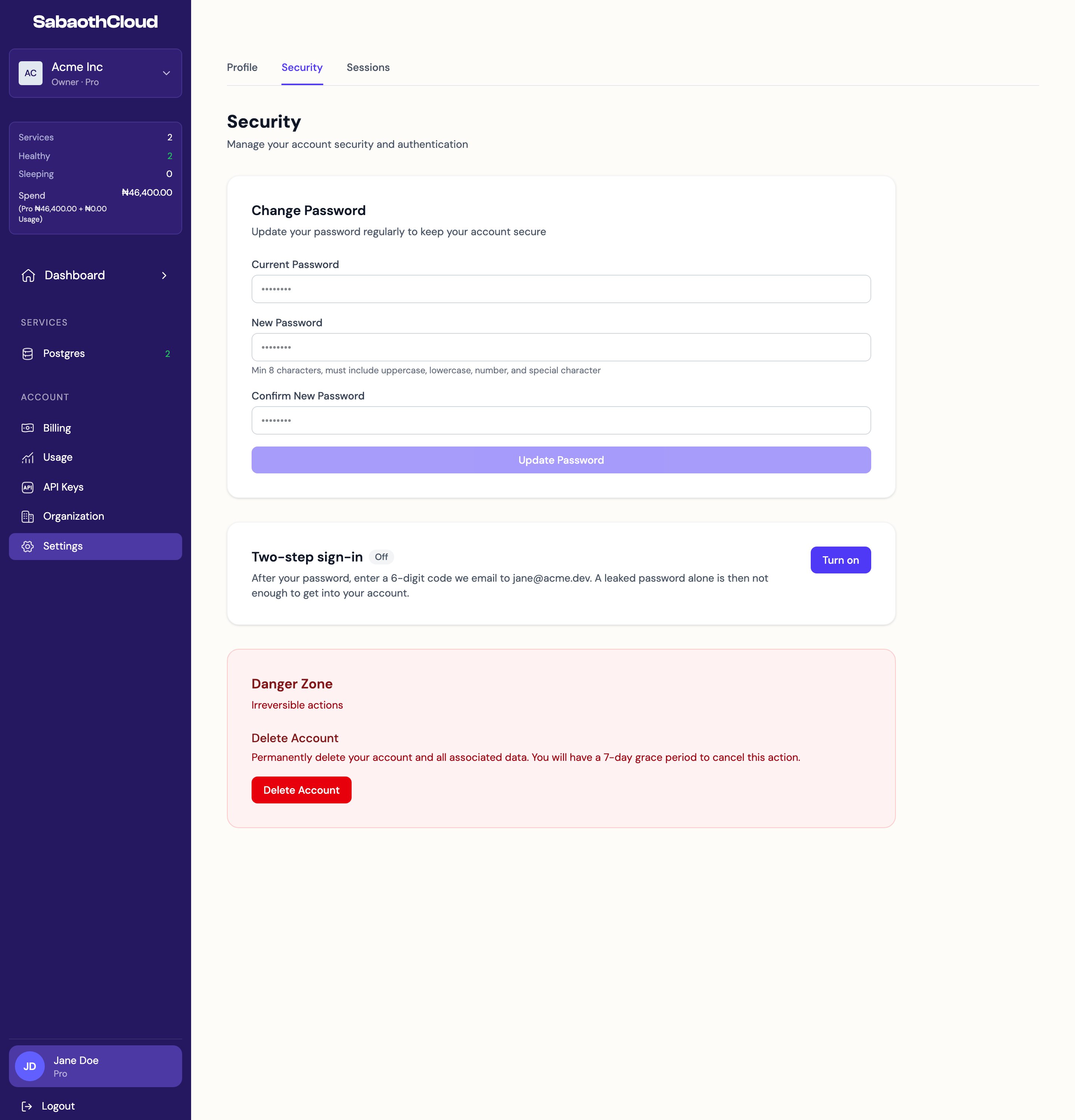 ### Change your password
1. Enter your **Current Password**.
2. Enter a **New Password** and confirm it. It must be at least 8 characters and include an uppercase letter, a lowercase letter, a number and a special character.
3. Click **Update Password**.
### Two-step sign-in
When two-step sign-in is on, you enter a 6-digit code sent to your email each time you sign in with your password.
* To turn it on, click **Turn on**, confirm your password, click **Send code** and enter the code from your email.
* To turn it off, click **Turn off** and confirm your password.
### Delete your account
1. Under **Danger Zone**, click **Delete Account**.
2. Confirm with your password.
Your account and its data are permanently deleted after a 7-day grace period. Until then you can sign in and click **Cancel Deletion** on the Profile tab, or use the link in the confirmation email.
If you own an organization that has other members, transfer ownership before deleting your account. See [Transfer ownership](/dashboard/organizations#transfer-ownership).
## Sessions
### Change your password
1. Enter your **Current Password**.
2. Enter a **New Password** and confirm it. It must be at least 8 characters and include an uppercase letter, a lowercase letter, a number and a special character.
3. Click **Update Password**.
### Two-step sign-in
When two-step sign-in is on, you enter a 6-digit code sent to your email each time you sign in with your password.
* To turn it on, click **Turn on**, confirm your password, click **Send code** and enter the code from your email.
* To turn it off, click **Turn off** and confirm your password.
### Delete your account
1. Under **Danger Zone**, click **Delete Account**.
2. Confirm with your password.
Your account and its data are permanently deleted after a 7-day grace period. Until then you can sign in and click **Cancel Deletion** on the Profile tab, or use the link in the confirmation email.
If you own an organization that has other members, transfer ownership before deleting your account. See [Transfer ownership](/dashboard/organizations#transfer-ownership).
## Sessions
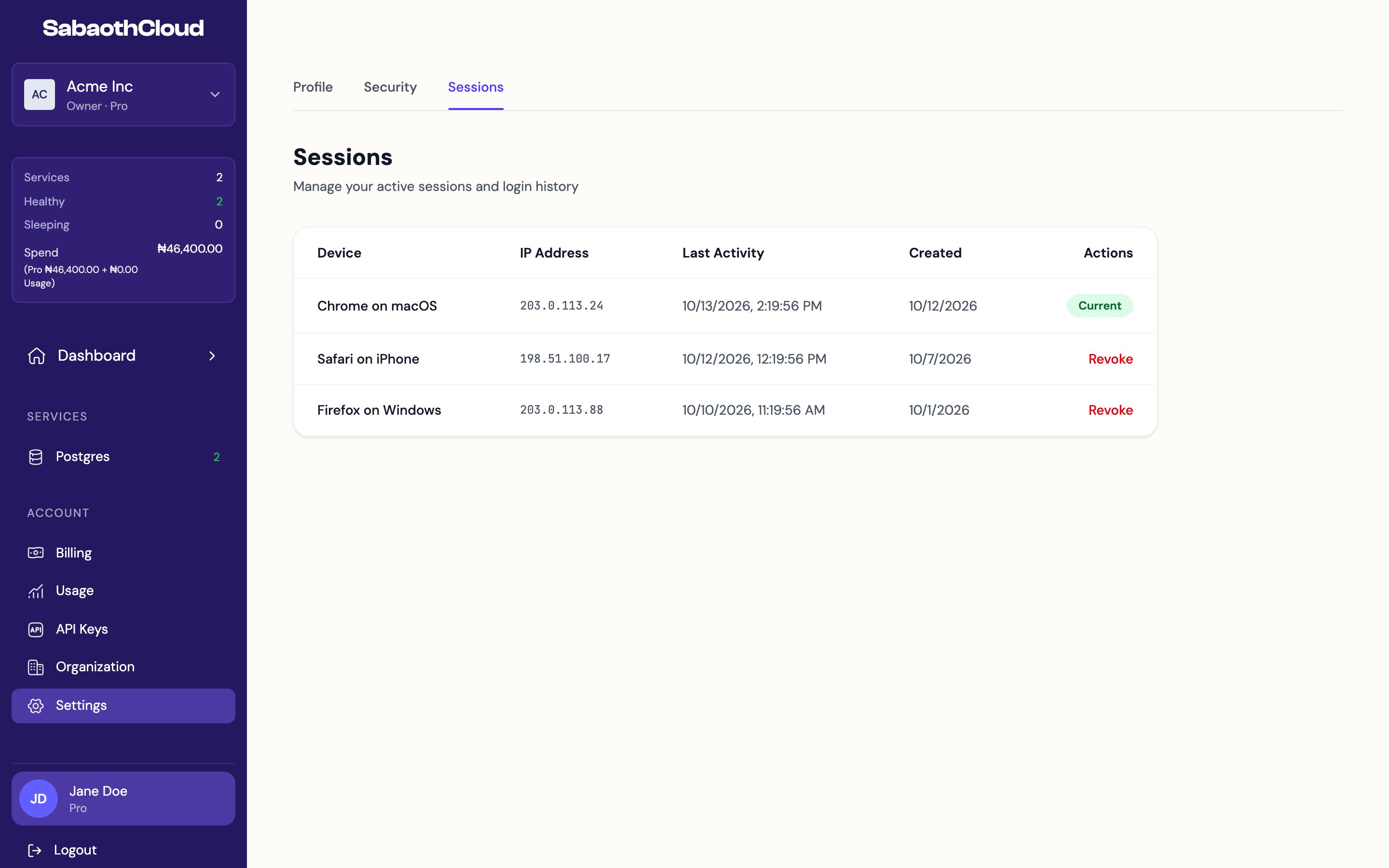 The **Sessions** tab lists every device signed in to your account, with its IP address, last activity and when it signed in. Your current session is marked **Current**.
To sign a device out, click **Revoke** next to it and confirm. If you see a session you don't recognise, revoke it and [change your password](#change-your-password).
This documentation is built and hosted on [Mintlify](https://mintlify.com), a developer documentation platform.
The **Sessions** tab lists every device signed in to your account, with its IP address, last activity and when it signed in. Your current session is marked **Current**.
To sign a device out, click **Revoke** next to it and confirm. If you see a session you don't recognise, revoke it and [change your password](#change-your-password).
This documentation is built and hosted on [Mintlify](https://mintlify.com), a developer documentation platform.